Jake, it indeed looks better now. How did you turn up contrast ? If you do it in e.g. Paintshop Pro using the contrast/brightness tool you lose information. Say you have a b/w illustration with 255 values, and you increase brightness by 10. Then, all pixels with brightness value 246 and higher will all end up at value 255, and thus you are losing that information in the highlights. The same occurs with the shadow detail if you decrease brightness. Therefore, it is best to get the right tonality at scanning time. With most scanning programs, you can do this with the curve tool. This curve defines a relationship between source (the paper) and destination (the file) values. This tool gives a lot of control over the values you end up with. You can find more information about it at www.scantips.com.
I agree. The tonality could be better. But if you have little control over it if you do not print yourself, besides scanning and manipulating digitally.
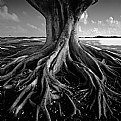
Jake, this is a nice shot and I can see why you find it relaxing. But it appears to be a bit too flat to my taste. Try some Photoshop and make is a bit darker and a bit more contrast. Joe













 0
0 


